DISCLAIMER: This is just a note for my finding, which by no means is guaranteed to be legally correct.
`roscpp` statically links `xmlrpcpp` (see #1).
ROS' xmlrpcpp is licensed as L-GPL.
As long as an application linking statically to an L-GPL library must conform to certain conditions, static linking under certain condition is possible, which `roscpp` qualifies for.
> statically linked:
>
> - Either you must release both parts as LGPL.
> - Or provide everything that allow the user to relink the application with a different version of the LGPL source code. In this case the other requirements are the same as if it was dynamically linked.
By being opensource-d, roscpp qualifies the 2nd option.
That said, how can roscpp be licensed under BSD, not L-GPL?
This is what I'm still not entirely sure about, but BSD is GPL-compatible so as long as the above condition is met it can be licensed differently AFAIU.
#1
$ roscd ros_comm
$ git log -1
commit 1b8fe87ccd662b597faf2d6ae0f862096c7d96a3
Author: Dirk Thomas <dirk-thomas@users.noreply.github.com>
Date: Fri Feb 2 16:04:30 2018 -0800
Add process listeners to XML RPC server (#1319)
When a process on a remote machine dies, the `process_died` callback of
the server is called. However, the process listeners given to
`ROSLaunchParent` need to be forwarded to the server, otherwise they
cannot be called.
$ ack-grep -B 1 -A 2 xmlrpcpp .
package.xml
35- <build_depend>std_msgs</build_depend>
36: <build_depend>xmlrpcpp</build_depend>
37-
38- <run_depend version_gte="0.3.17">cpp_common</run_depend>
--
45- <run_depend>std_msgs</run_depend>
46: <run_depend>xmlrpcpp</run_depend>
47-</package>
include/ros/xmlrpc_manager.h
38-#include "common.h"
39:#include "xmlrpcpp/XmlRpc.h"
40-
41-#include <ros/time.h>
include/ros/publication.h
33-#include "common.h"
34:#include "xmlrpcpp/XmlRpc.h"
35-
36-#include <boost/thread/mutex.hpp>
include/ros/master.h
31-#include "forwards.h"
32:#include "xmlrpcpp/XmlRpcValue.h"
33-#include "common.h"
34-
include/ros/node_handle.h
51-
52:#include <xmlrpcpp/XmlRpcValue.h>
53-
54-namespace ros
include/ros/topic_manager.h
35-
36:#include "xmlrpcpp/XmlRpcValue.h"
37-
38-#include <boost/thread/mutex.hpp>
include/ros/subscription.h
37-#include "ros/statistics.h"
38:#include "xmlrpcpp/XmlRpc.h"
39-
40-#include <boost/thread.hpp>
include/ros/param.h
32-#include "common.h"
33:#include "xmlrpcpp/XmlRpcValue.h"
34-
35-#include <vector>
include/ros/service_publication.h
32-#include "common.h"
33:#include "xmlrpcpp/XmlRpc.h"
34-
35-#include <boost/thread/mutex.hpp>
src/libros/node_handle.cpp
46-#include "ros/this_node.h"
47:#include "xmlrpcpp/XmlRpc.h"
48-
49-#include <boost/thread.hpp>
src/libros/service_manager.cpp
44-
45:#include "xmlrpcpp/XmlRpc.h"
46-
47-#include <ros/console.h>
src/libros/topic_manager.cpp
43-
44:#include "xmlrpcpp/XmlRpc.h"
45-
46-#include <ros/console.h>
src/libros/master.cpp
36-
37:#include "xmlrpcpp/XmlRpc.h"
38-
39-namespace ros
src/libros/init.cpp
50-#include "ros/internal_timer_manager.h"
51:#include "xmlrpcpp/XmlRpcSocket.h"
52-
53-#include "roscpp/GetLoggers.h"
CMakeLists.txt
8-find_package(catkin REQUIRED COMPONENTS
9: cpp_common message_generation rosconsole roscpp_serialization roscpp_traits rosgraph_msgs rostime std_msgs xmlrpcpp
10-)
11-
--
56- LIBRARIES roscpp ${PTHREAD_LIB}
57: CATKIN_DEPENDS cpp_common message_runtime rosconsole roscpp_serialization roscpp_traits rosgraph_msgs rostime std_msgs xmlrpcpp
58- DEPENDS Boost
59-)
CHANGELOG.rst
39-* move connection specific log message to new name roscpp_internal.connections (`#980 <https://github.com/ros/ros_comm/pull/980>`_)
40:* move headers to include/xmlrpcpp (`#962 <https://github.com/ros/ros_comm/issues/962>`_)
41-* fix UDP block number when EAGAIN or EWOULDBLOCK (`#957 <https://github.com/ros/ros_comm/issues/957>`_)
42-* fix return code of master execute function (`#938 <https://github.com/ros/ros_comm/pull/938>`_)
$
Sunday, February 4, 2018

Friday, October 13, 2017
Opensource software package maintenance in a cleaner, more thorough and verbose manner
There's various form of maintenance for software packages. ROS wiki spreads out well.
And, there's a recent discussion about the maintainership for "orphaned package"s.
I totally agree with the bigger picture in this thread; spending (even minimal) effort on making releases to make packages sustain for longer period rather than letting packages fade out. Yes.
Below is something I just wanted to chime in to the thread, but decided not to because it's a little off-topic, and I was afraid that I may sound opposing to the main idea in the thread. while I am not. So I decided to tweet in my own space.
It was triggered by someone's line:
I do believe by doing the release chores more thoroughly like this, there's a benefit for the users. Still, what's critical at first hand is that the package being available, as discussed in the referenced thread and again I fully agree with that.
And, there's a recent discussion about the maintainership for "orphaned package"s.
I totally agree with the bigger picture in this thread; spending (even minimal) effort on making releases to make packages sustain for longer period rather than letting packages fade out. Yes.
Below is something I just wanted to chime in to the thread, but decided not to because it's a little off-topic, and I was afraid that I may sound opposing to the main idea in the thread. while I am not. So I decided to tweet in my own space.
It was triggered by someone's line:
In my experience, running the `catkin_generate_changelog`, `catkin_prepare_release`, `bloom-release` commands takes up maybe 1% of the time in maintaining a package.As a release-maintainer of many long-lasting packages, I have to oppose here. So I just listed out the "release-maintainer"'s tasks I can think of, which may not be clear to the outside. These don't make a whole, and most of them may be optional, but still:
- Release the package.
- Changelog. Yes, `catkin_generate_changelog` populates raw commit logs per pkg.
- Totally optional, but I tend to spend certain amount of time to edit changelogs to be more useful than just a set of commit history.
- To what version to increment? Yes `catkin_prepare_release` handles this.
- But you want to version it "right", which requires some idea about backward compatibility, features added etc. Typically this might require coordinating developers and/or going through the commits/PRs that have been added.
- Run prerelease test.
- Locally if your repo doesn't do it on cloud (btw industrial_ci offers a feature to run it on cloud).
- For a ROS distro that supports multiple platform, run prerelease tests per each platforms if possible. For Kinetic, there was Wily until it went EOL, in addition to Xenial.
- `bloom` can fail for whatever issues in your packages that you are almost automatically in charge of fixing.
- Once issues occur on ROS buildfarm, a lot of times you're the only one to take (at least initial) action against it.
- Hence, `prerelease test`, folks.
- There's also "mental" responsibility. Not a big deal most of the times, but when something occurred like on buildfarm, you'd feel bad besides that it's you who people expect to fix the issues.
I do believe by doing the release chores more thoroughly like this, there's a benefit for the users. Still, what's critical at first hand is that the package being available, as discussed in the referenced thread and again I fully agree with that.
Tuesday, June 27, 2017
Amazing montage video including NEXTAGE OPEN celebrates MoveIt! 5-year
From TORK's blog:
MoveIt!, de-facto standard motion planning library for ROS, now celebrates 5th year since its initial release by an amazing compilation of application videos.
This is the 2nd time MoveIt! maintenance team makes such a montage.
Comparing with the one from 4 years ago back in 2013 soon after the software was just released, we can see many more Pick&Place applications this time.
Also captured my personal interest was that there are some mobile base/subsea rover manipulation apps, which is one of the future improvement items of MoveIt! (see this page “Mobile base integration”). It’d be absolutely a great contribution if the developers of those apps would give back their development to the upstream MoveIt! software.
As has always been, NEXTAGE Open, a dual-arm robot that TORK has been actively contributing to its maintenance and providing support service, appears in the video as well thanks to a Spanish system integrator Tecnalia presumably for their work with Airbus.
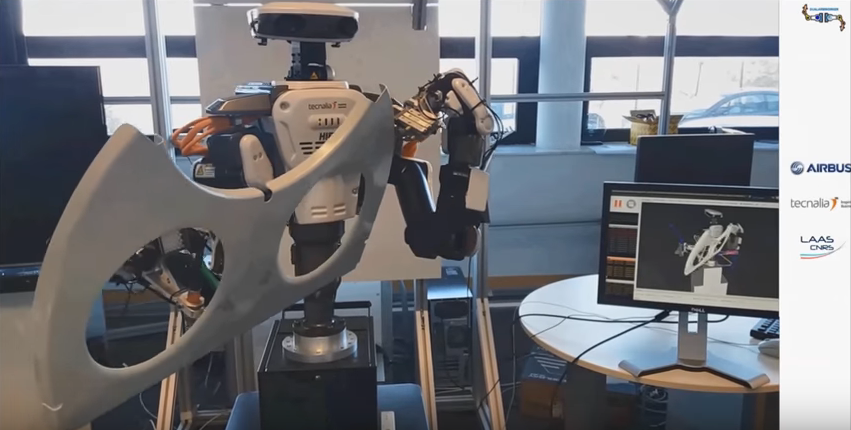
TORK has been a motivated, skillful supporter of ROS and MoveIt! since our launch in 2013. If you’re wondering how you could employ MoveIt! to your robot, please consider our hands-on workshop series too.
P.S. List of all application’s developers are also available as follows:
(0:06) Delft Robotics and TU Delft Robotics Institute
(0:09) Techman Robot Inc.
(0:13) Correll Lab, CU Boulder
(0:37) Nuclear & Applied Robotics Group, Unv Texas
(0:50) Beta Robots
(0:55) GIRONA UNDERWATER VISION AND ROBOTICS
(1:03) Team VIGIR
(1:34) Honeybee Robotics
(1:49) ROBOTIS
(1:58) TECNALIA
(2:05) Correll Lab, CU Boulder
(2:26) TODO Driving under green blocks
(2:38) ROBOTIS
(2:54) Fetch Robotics
(3:05) Hochschule Ravensburg-Weingarten
(3:12) TU Darmstadt and Taurob GmbH – Team ARGONAUTS
(3:20) isys vision
(3:27) Technical Aspects of Multimodal System Group / Hamburg University
(3:33) Clearpath Robotics
(3:43) Shadow Robot
MoveIt!, de-facto standard motion planning library for ROS, now celebrates 5th year since its initial release by an amazing compilation of application videos.
This is the 2nd time MoveIt! maintenance team makes such a montage.
Comparing with the one from 4 years ago back in 2013 soon after the software was just released, we can see many more Pick&Place applications this time.
Also captured my personal interest was that there are some mobile base/subsea rover manipulation apps, which is one of the future improvement items of MoveIt! (see this page “Mobile base integration”). It’d be absolutely a great contribution if the developers of those apps would give back their development to the upstream MoveIt! software.
As has always been, NEXTAGE Open, a dual-arm robot that TORK has been actively contributing to its maintenance and providing support service, appears in the video as well thanks to a Spanish system integrator Tecnalia presumably for their work with Airbus.
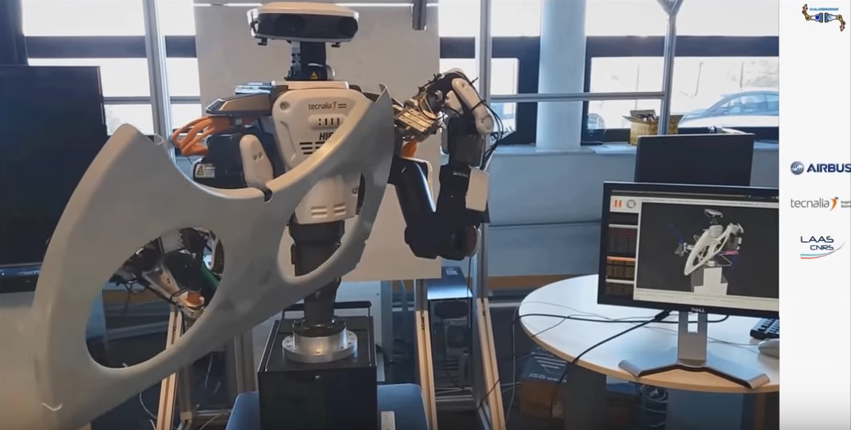
Hironx in motion from MoveIt! 5-year montage by courtesy of Tecnalia
TORK has been a motivated, skillful supporter of ROS and MoveIt! since our launch in 2013. If you’re wondering how you could employ MoveIt! to your robot, please consider our hands-on workshop series too.
P.S. List of all application’s developers are also available as follows:
(0:06) Delft Robotics and TU Delft Robotics Institute
(0:09) Techman Robot Inc.
(0:13) Correll Lab, CU Boulder
(0:37) Nuclear & Applied Robotics Group, Unv Texas
(0:50) Beta Robots
(0:55) GIRONA UNDERWATER VISION AND ROBOTICS
(1:03) Team VIGIR
(1:34) Honeybee Robotics
(1:49) ROBOTIS
(1:58) TECNALIA
(2:05) Correll Lab, CU Boulder
(2:26) TODO Driving under green blocks
(2:38) ROBOTIS
(2:54) Fetch Robotics
(3:05) Hochschule Ravensburg-Weingarten
(3:12) TU Darmstadt and Taurob GmbH – Team ARGONAUTS
(3:20) isys vision
(3:27) Technical Aspects of Multimodal System Group / Hamburg University
(3:33) Clearpath Robotics
(3:43) Shadow Robot
Saturday, June 24, 2017
Updated MoveIt! Now Comes with Trajectory Introspection
From TORK blog:
-
Through the package update earlier June 2017, MoveIt! now allows you to introspect planned trajectory pose by pose.
Using the newly added trajectory slider on RViz, you can visually evaluate the waypoints in a planned trajectory on MoveIt!.
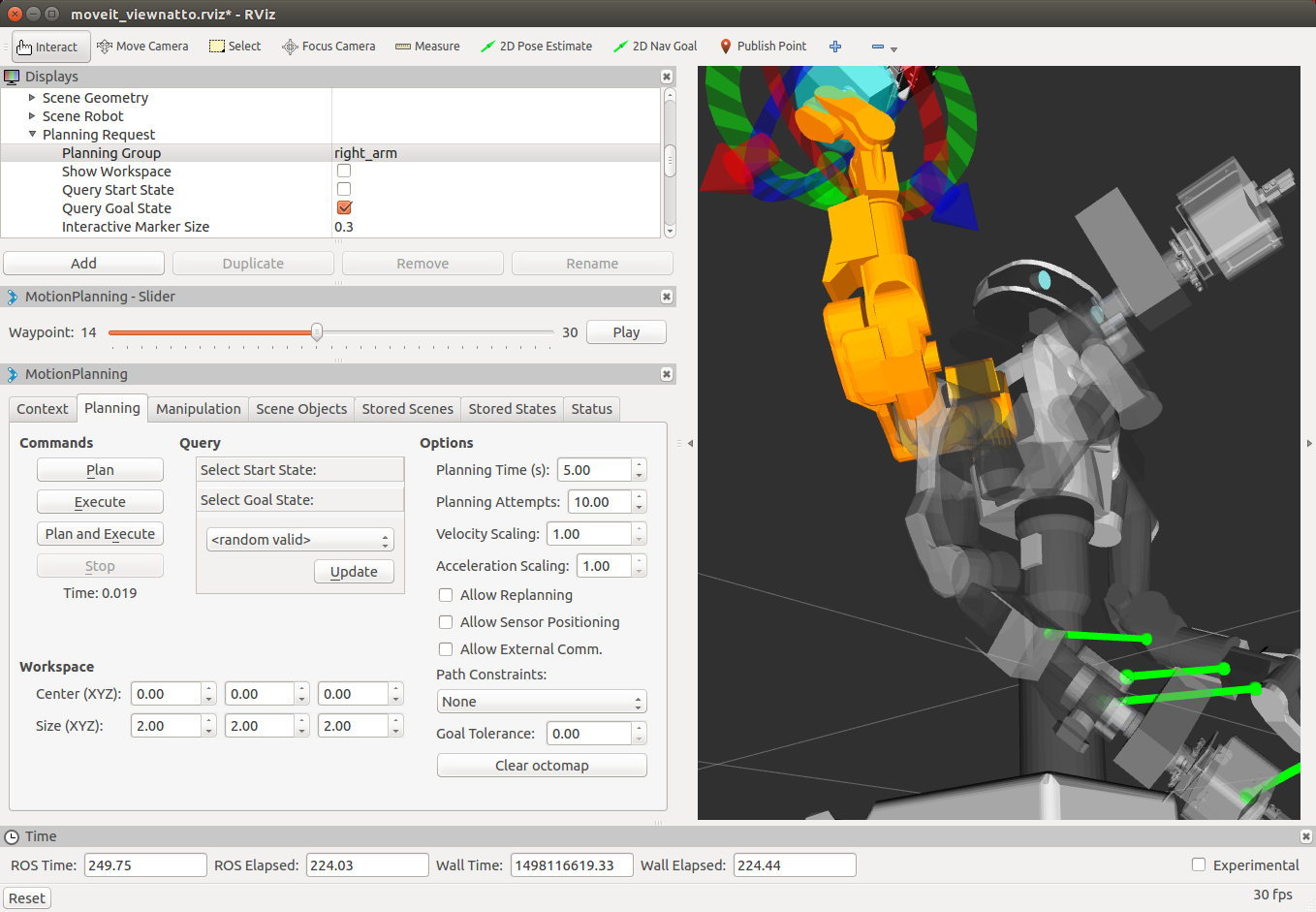
As
you see on the slider on the left side, you can now introspect each
waypoint in a planned trajectory on MoveIt! on NEXTAGE Open.
See MoveIt! tutorial for how to activate this feature.
Tuesday, January 24, 2017
2017 MoveIt! update pt.2; Stopping motion on NEXTAGE needs your help
From TORK blog:
----
In the previous post we introduced one of the many new features that were added to MoveIt! with its first update in 2017. Next feature we want to mention is the “stop motion”, which we’ve received many questions from our NEXTAGE users about.
Other than situations where you need to stop robots to move for the safety reasons, there can be many cases you want to stop/cancel/halt your robot for your application. The standard way to achieve this in MoveIt! had been lacking, which is finally organized this time (lead by a student at GSoC project by the way).
It works well with Pepper robot on simulation. You see in the following Youtube video (link in case you don't see the video pasted) that the arm stops as soon as the “stop” button on RViz was clicked.
This nice feature, however, does not YET work with the NEXTAGE Open. Don’t worry much, there’s a work going on already and we confirmed a patch submitted from a community member solves the issue on simulation! We just need to test the patch on the real NEXTAGE Open robot, and this is where we need a help from the robot owners. If you think you can help us testing with your own robot, please contact TORK at info[a_t]opensource-robotics.tokyo.jp or joint the discussion at the ticket for this issue on Github so that we’ll communicate with you. Thank you for your understanding toward the opensource!

----
In the previous post we introduced one of the many new features that were added to MoveIt! with its first update in 2017. Next feature we want to mention is the “stop motion”, which we’ve received many questions from our NEXTAGE users about.
Other than situations where you need to stop robots to move for the safety reasons, there can be many cases you want to stop/cancel/halt your robot for your application. The standard way to achieve this in MoveIt! had been lacking, which is finally organized this time (lead by a student at GSoC project by the way).
It works well with Pepper robot on simulation. You see in the following Youtube video (link in case you don't see the video pasted) that the arm stops as soon as the “stop” button on RViz was clicked.
This nice feature, however, does not YET work with the NEXTAGE Open. Don’t worry much, there’s a work going on already and we confirmed a patch submitted from a community member solves the issue on simulation! We just need to test the patch on the real NEXTAGE Open robot, and this is where we need a help from the robot owners. If you think you can help us testing with your own robot, please contact TORK at info[a_t]opensource-robotics.tokyo.jp or joint the discussion at the ticket for this issue on Github so that we’ll communicate with you. Thank you for your understanding toward the opensource!

Wednesday, January 4, 2017
First MoveIt! Update in 2017. Using it on NEXTAGE pt.1
From TORK blog:
New version of MoveIt! binary 0.7.6 is just released for ROS Indigo, first time in 2017 (for sure!) and first release since June 2016. This version comes with some long-wanted features (along with bug fixes of course) that we’re trying out using NEXTAGE simulator.
1. Changing trajectory velocity and acceleration during runtime
Changing the speed of the trajectory during runtime has been one of FAQs from NEXTAGE users who use MoveIt!, let alone many MoveIt! users on the globe. Now through MoveIt! RViz plugin you can conveniently configure that on the fly on the spinboxes added.

To configure that programmatically, see this tutorial that explains chainging MotionPlanRequest topic would do the work.
TORK is actively contributing the development and maintenance of MoveIt!.
New version of MoveIt! binary 0.7.6 is just released for ROS Indigo, first time in 2017 (for sure!) and first release since June 2016. This version comes with some long-wanted features (along with bug fixes of course) that we’re trying out using NEXTAGE simulator.
1. Changing trajectory velocity and acceleration during runtime
Changing the speed of the trajectory during runtime has been one of FAQs from NEXTAGE users who use MoveIt!, let alone many MoveIt! users on the globe. Now through MoveIt! RViz plugin you can conveniently configure that on the fly on the spinboxes added.
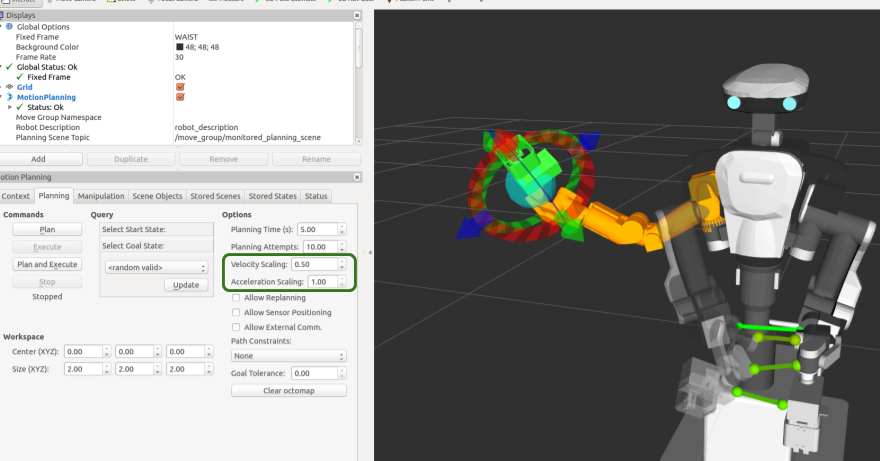
To configure that programmatically, see this tutorial that explains chainging MotionPlanRequest topic would do the work.
TORK is actively contributing the development and maintenance of MoveIt!.
Wednesday, December 21, 2016
Dynpick force-torque sensor ROS driver update thanks to opensource contribution
From TORK blog:
ROS device driver for force-torque sensor Dynpick, one that TORK joins its maintenance, has been known to work for a discontinued product only so far. Now someone in the opensource community just confirmed that the package works with a product that’s still available!
Products confirmed to work has been and will be updated on the driver’s wiki page. Report, questions can be posted on its Github page.
And as always, may the power of opensource be with you. Happy holidays!
ROS device driver for force-torque sensor Dynpick, one that TORK joins its maintenance, has been known to work for a discontinued product only so far. Now someone in the opensource community just confirmed that the package works with a product that’s still available!
Products confirmed to work has been and will be updated on the driver’s wiki page. Report, questions can be posted on its Github page.
And as always, may the power of opensource be with you. Happy holidays!
Thursday, December 15, 2016
TORK to co-host Toyota HSR workshop for users
From TORK's blog:

TORK has been partnering with the “HSR” welfare robot’s dev team at Toyota Motors Corporation (TMC). In 2014 and the last year 2015 we worked together with them for the hackathon.
This year we worked with TMC again to host developers workshop at 4 venues in Japan. In addition to going over the robot’s unique features and programming using ROS, we particularly focused on utilizing the online community designated for HSR owners, which TMC initiated in 2015 and maintains by themselves (membership-only as of today). Goal is that participants get hands on experience in interacting on the developers community so that they can accelerate their own development, which also contributes to develop the community size and maturity, which the developers ultimately appreciate. That said the seminar series this time is the beginning of building the community’s life cycle as TMC’s dev team intended.
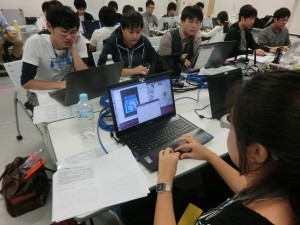
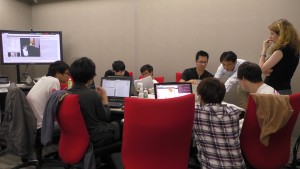
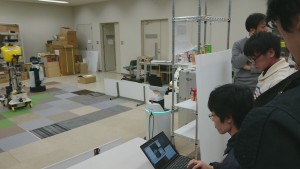
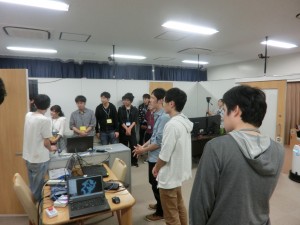
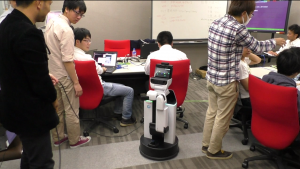


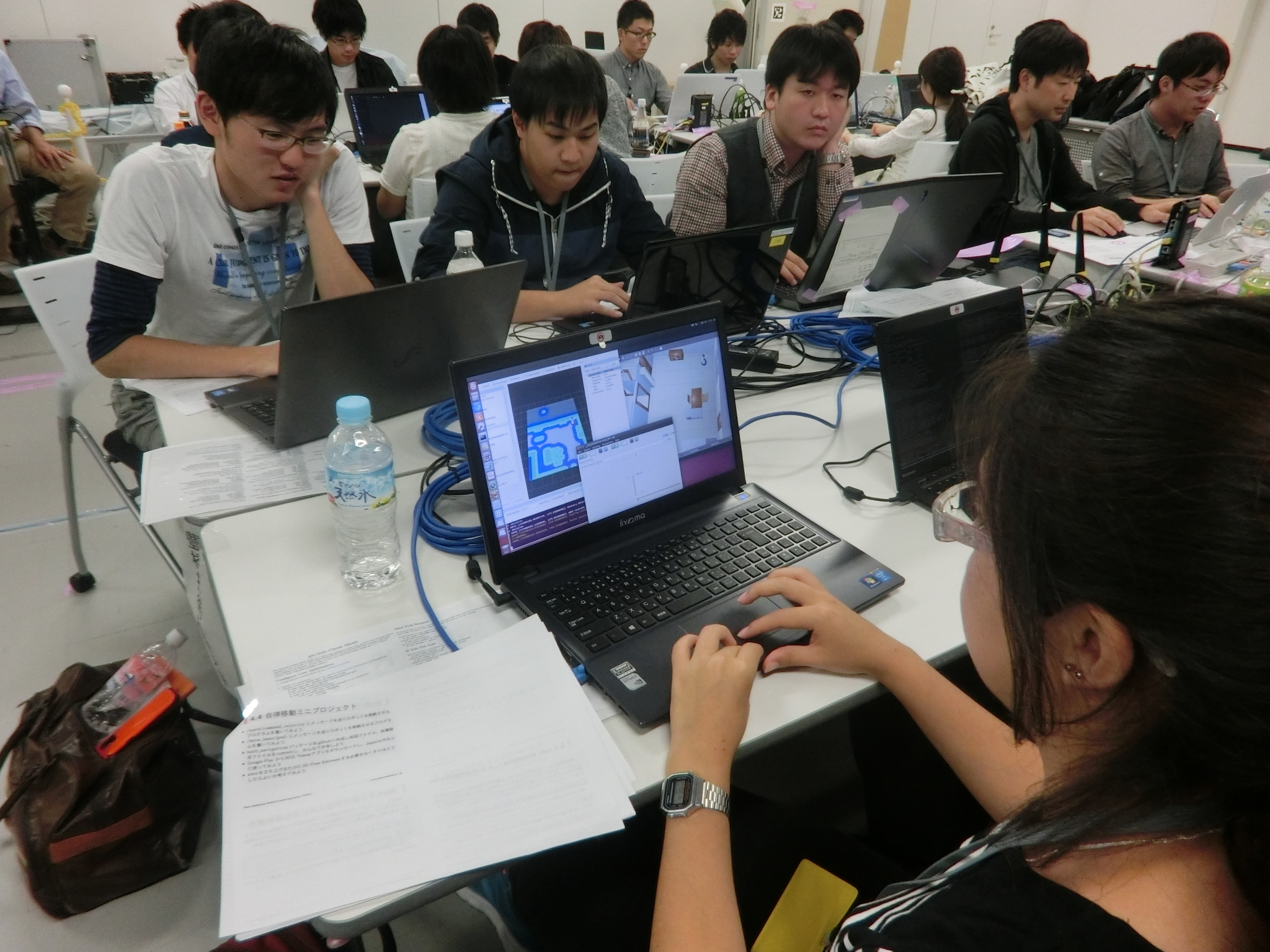
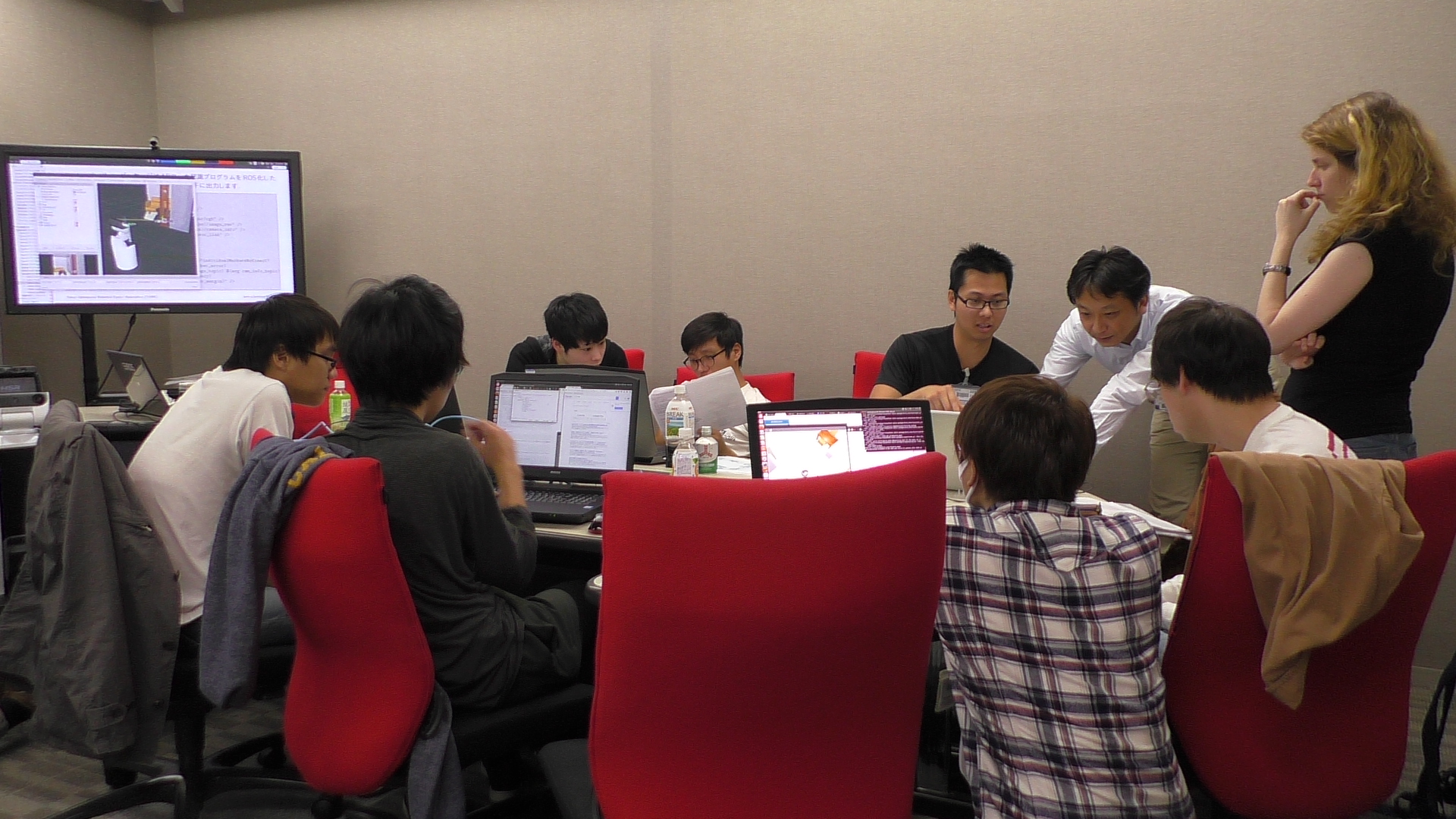
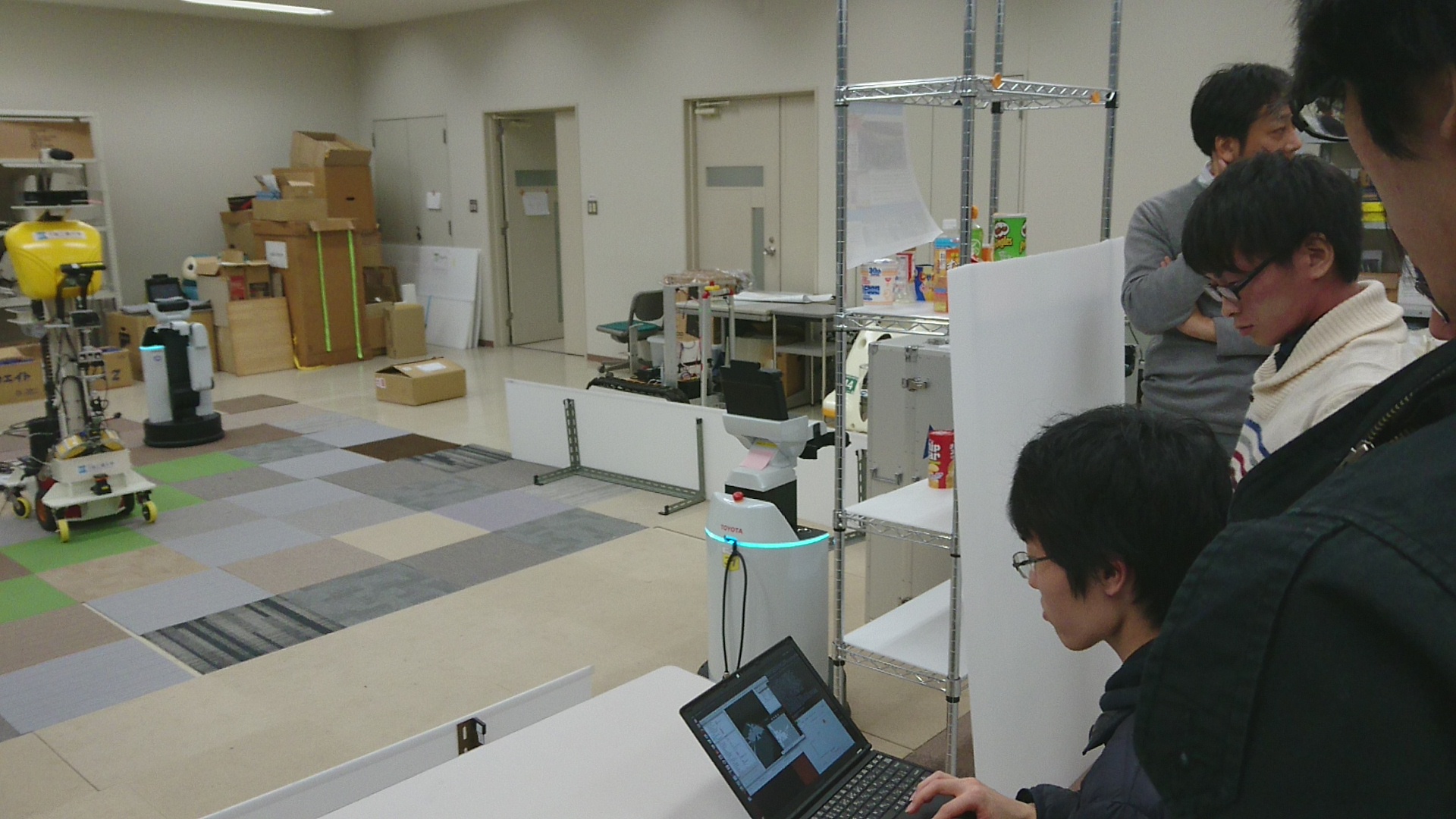

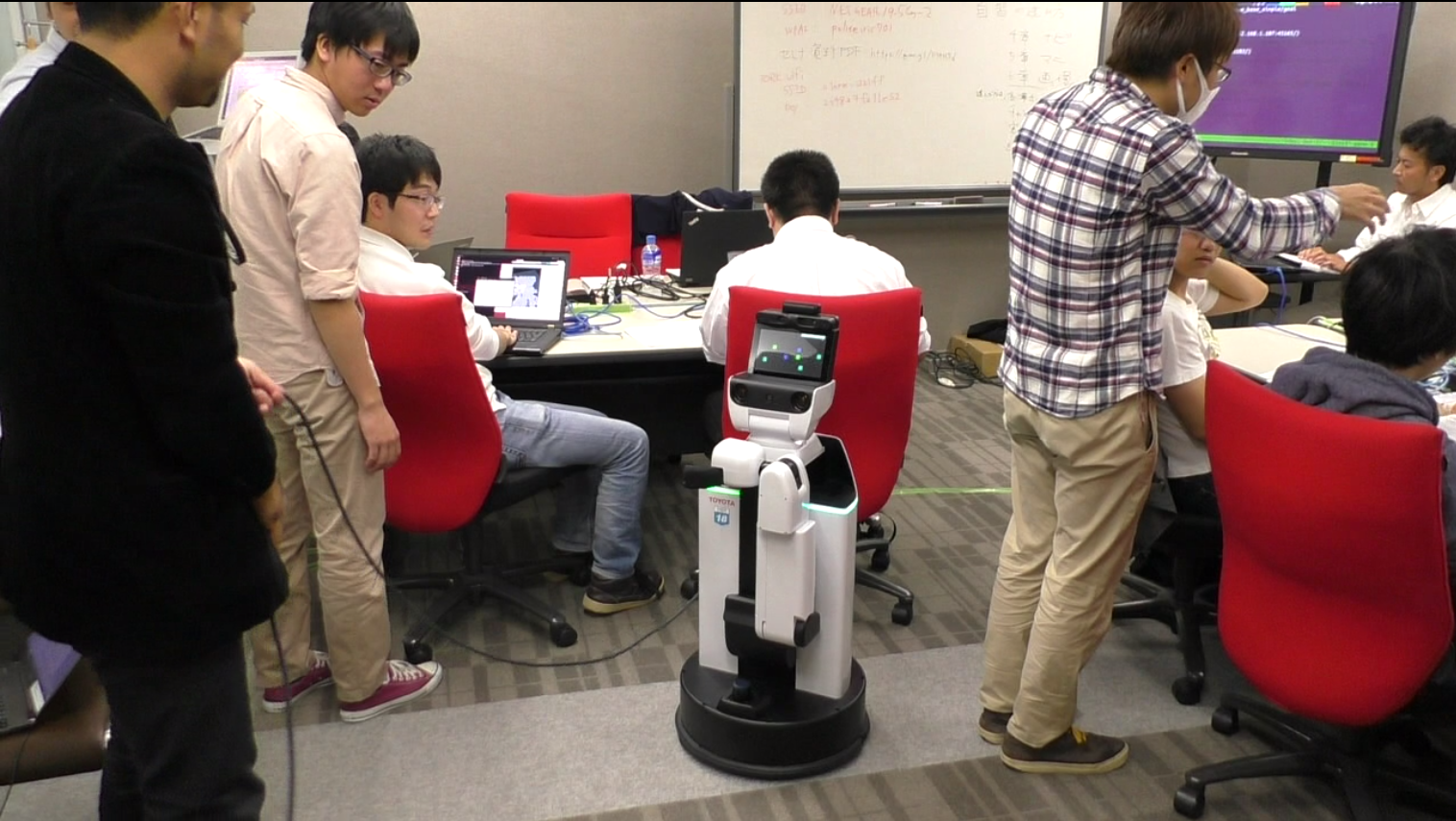
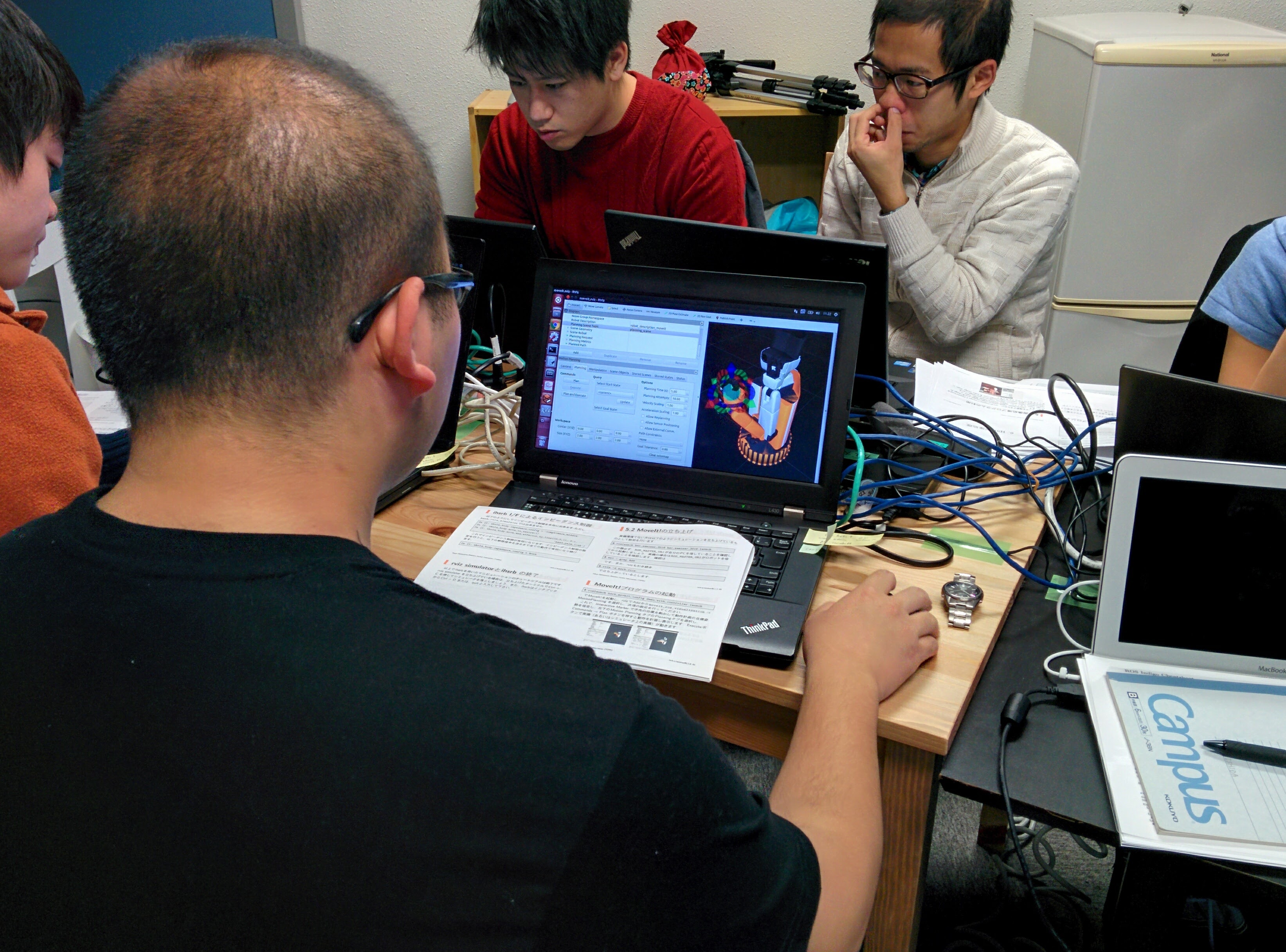
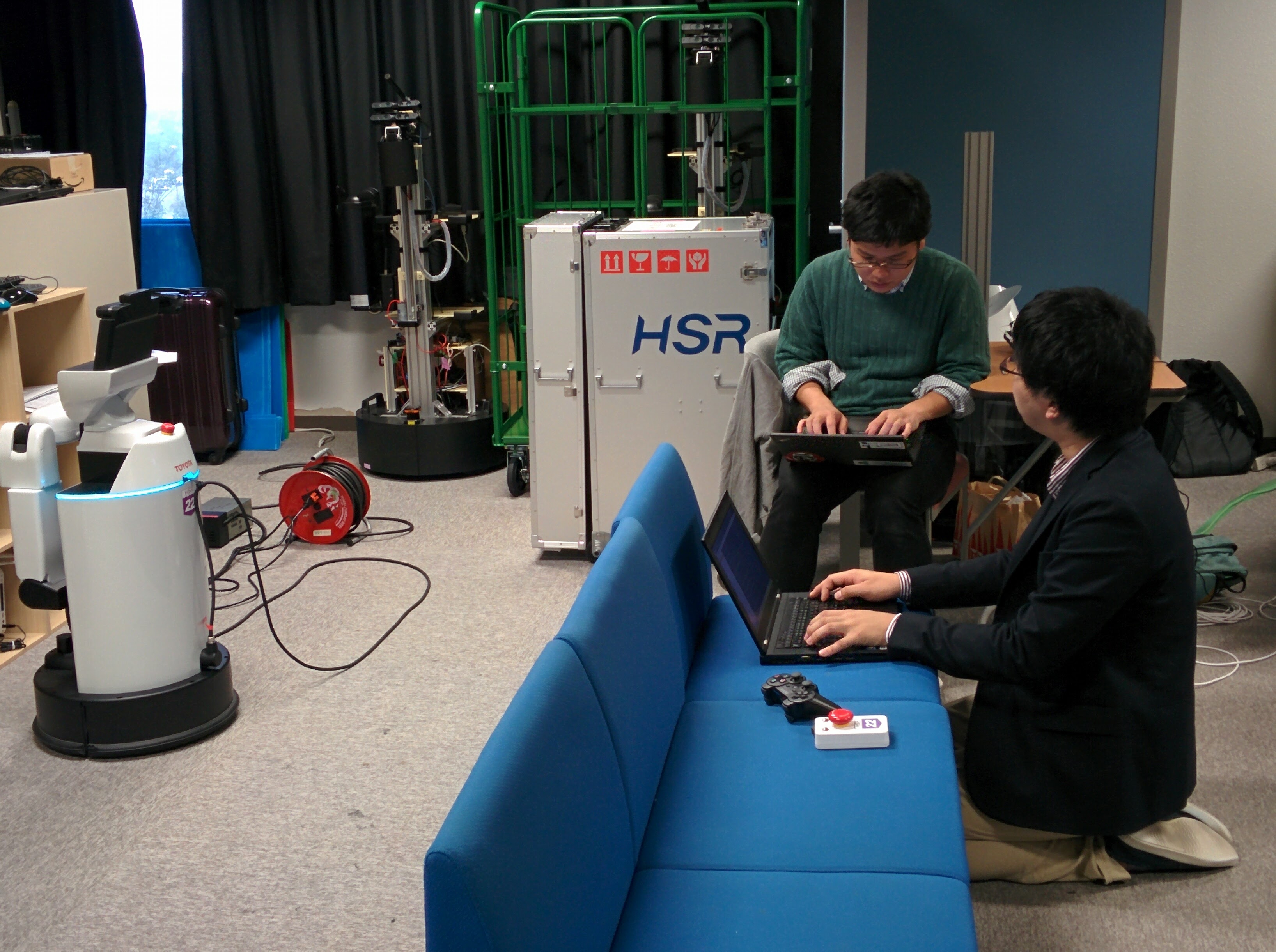
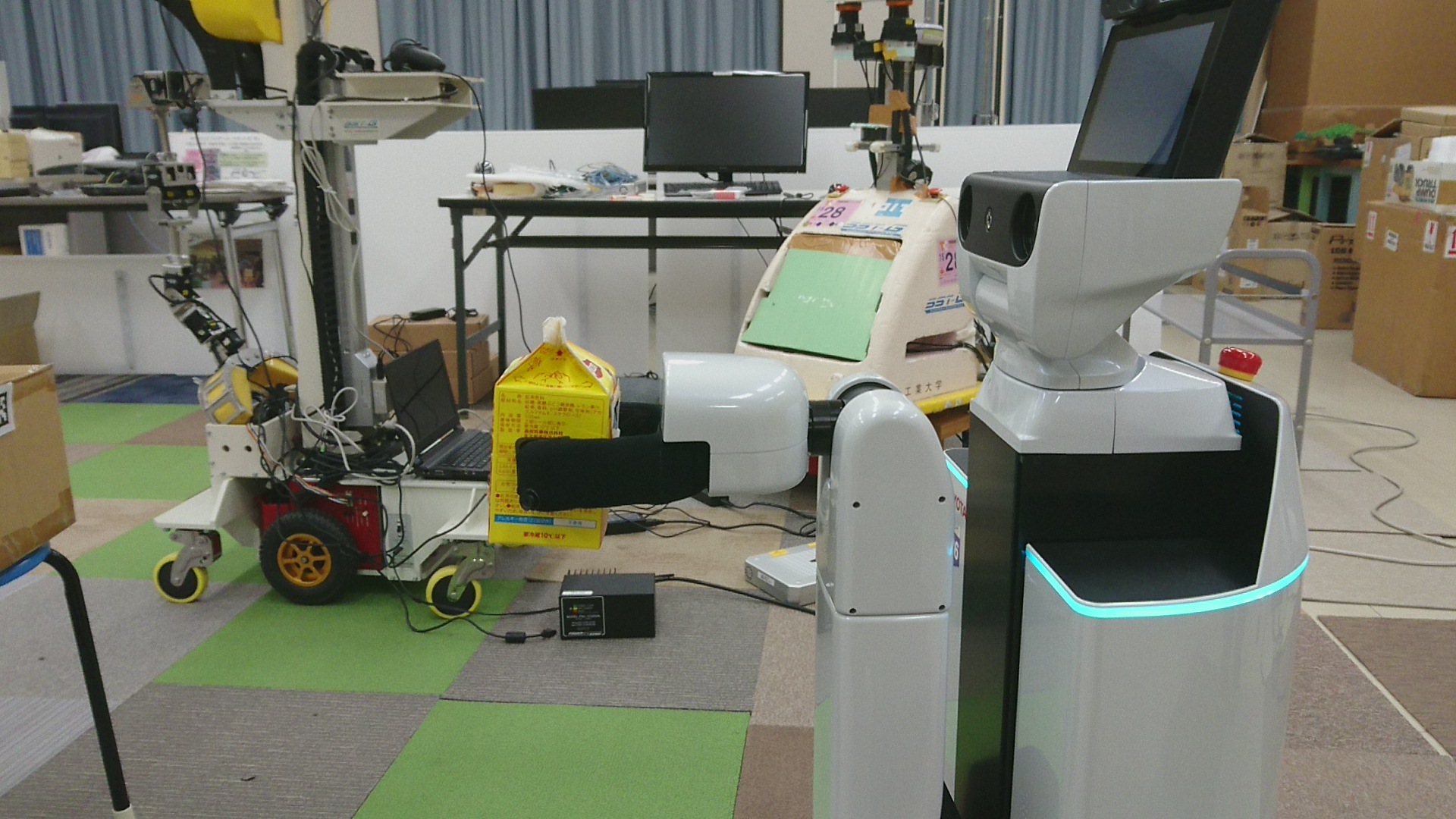
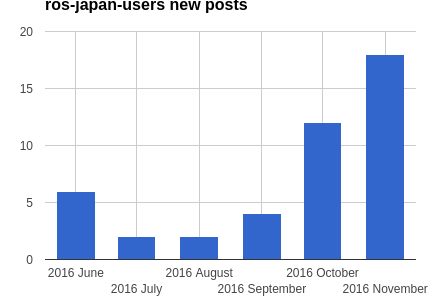
Also discussed is problem isolation – engineers often need to figure out the types of problems and post questions at the best community per incident. This is more an advanced subject, but participants well exceeded our expectation to separately post HSR-specific questions and generic-ROS questions on the forums of each. This may have resulted in the positive spike of the number of posts at the ROS Japanese user groups as you see in the graph below (workshop series started in October).
Closing this blog post with some videos from the code challenge at the end of the workshops (if you're not seeing any video snippet, go to the original blog post). We truly hope that we’ve contributed to the HSR and the world of robotics community by encouraging community involvement.
Friday, September 23, 2016
catkin-tools tip pt.2
From TORK blog
Following our previous post about a nice hidden tip for catkin-tools, here’s another one.
When finishes compilation, `catkin build` shows a pop-up window at the top-right on your screen (if you’re on Ubuntu Linux), which indicates `Build Finished` or `Build Failed`. This is nice in that you can work on another windows without payting attention to catkin’s progress. Caveat is, though, that “Finished” and “Failed” aren’t that obviously differentiating whatsoever.
With the newer version of catkin-tools, 0.4.3 or higher, the window pops up with a distinguishable colors; Green for success and red for failure.
This little but significantly effective change is done by our TORK associates again. The change was made swiftly and neatly as it has always been in the opensource software community.


Following our previous post about a nice hidden tip for catkin-tools, here’s another one.
When finishes compilation, `catkin build` shows a pop-up window at the top-right on your screen (if you’re on Ubuntu Linux), which indicates `Build Finished` or `Build Failed`. This is nice in that you can work on another windows without payting attention to catkin’s progress. Caveat is, though, that “Finished” and “Failed” aren’t that obviously differentiating whatsoever.
With the newer version of catkin-tools, 0.4.3 or higher, the window pops up with a distinguishable colors; Green for success and red for failure.
This little but significantly effective change is done by our TORK associates again. The change was made swiftly and neatly as it has always been in the opensource software community.


Friday, July 1, 2016
Easy Teaching Operation for NEXTAGE Open by MoveIt! Joystick
(From TORK blog)
One of good news about ROS community is that the maintenance of MoveIt! got revitalized where TORK is contributing to as well. In 2016 there has already been three binary update releases so far. No more building from source if you were forced to!
We’ve mentioned about MoveIt! a few times recently ([1],[2]), so do we today again. With the version 0.7.2 (on ROS Indigo), you can operate robot arms by joystick via MoveIt!
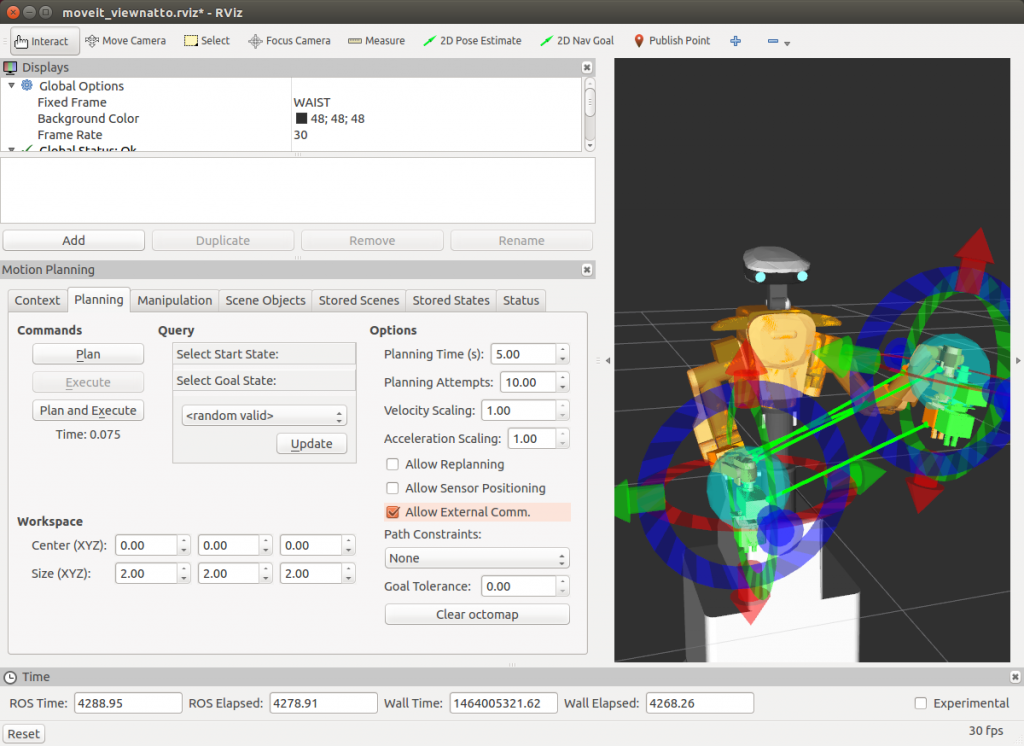
Running the feature is as simple as joystick. On RViz on the host where the joystick is plugged, check “Planning” tab –> “AllowExternalExecution” (see the image below).
Then run a launch file, either the one in your XXXX_moveit_config package if there’s already the aforementioned launch file, or simply make a launch file with the following:
To run on NEXTAGE Open, make sure MoveIt! is running then run a single command below (modify jsX). You can also refer to wiki for joystick usage for NEXTAGE Open.
(At the top window, the human operator plans the movement on RViz visualizer. Once the plan looks good then operator executes the plan so that the simulated robot in the bottom window conducts the movement. This is a screen capture so joystick isn't invisible, but yes, all the robot's movement is commanded from a Sony PS3 joystick.)
One of good news about ROS community is that the maintenance of MoveIt! got revitalized where TORK is contributing to as well. In 2016 there has already been three binary update releases so far. No more building from source if you were forced to!
We’ve mentioned about MoveIt! a few times recently ([1],[2]), so do we today again. With the version 0.7.2 (on ROS Indigo), you can operate robot arms by joystick via MoveIt!
Running the feature is as simple as joystick. On RViz on the host where the joystick is plugged, check “Planning” tab –> “AllowExternalExecution” (see the image below).
Then run a launch file, either the one in your XXXX_moveit_config package if there’s already the aforementioned launch file, or simply make a launch file with the following:
<!-- https://github.com/ros-planning/moveit_setup_assistant/pull/90 -->
<launch>
  <arg name="dev" default="/dev/input/js0" />

  <!-- Launch joy node -->
  <node pkg="joy" type="joy_node" name="joy">
    <param name="dev" value="$(arg dev)" /> <!-- Customize this to match the location your joystick is plugged in on-->
    <param name="deadzone" value="0.2" />
    <param name="autorepeat_rate" value="40" />
    <param name="coalesce_interval" value="0.025" />
  </node>

  <!-- Launch python interface -->
  <node pkg="moveit_ros_visualization" type="moveit_joy.py" output="screen" name="moveit_joy"/>
</launch>
For the detail follow the usage page.
To run on NEXTAGE Open, make sure MoveIt! is running then run a single command below (modify jsX). You can also refer to wiki for joystick usage for NEXTAGE Open.
roslaunch nextage_moveit_config joystick_control.launch dev:=/dev/input/js1
(At the top window, the human operator plans the movement on RViz visualizer. Once the plan looks good then operator executes the plan so that the simulated robot in the bottom window conducts the movement. This is a screen capture so joystick isn't invisible, but yes, all the robot's movement is commanded from a Sony PS3 joystick.)
Friday, June 24, 2016
Investigating unexplored region while making a map (frontier_exploration with Turtlebot)
(From TORK blog)
When making a map using ROS, you’re likely tele-operating your robot for every single move via keyboard or joystick at best. But I know a demand exists for “planning” in advance a region that robot explores to make a map.
That’s where a package called frontier_exploration gets useful; it provides ROS actionlib interface, through which users can send the location to explore. We just made a sample using Turtlebot to show how to integrate frontier_exploration package into your own robot. Resulted package can be seen at turtlebot_samples. As the following movie (It’s long! You’re warned…) shows, you can run by a single command Gazebo simulator, spawn Turtlebot on a sample map and send a command for the exploration.
You set the region to be visited by drawing a polygon on RViz, then after clicking a point within the polygon robot will move. Once it starts moving user isn’t sending anything (robot moves autonomously to the given goal along the computed path).
Shorter video is also available (it’s not Turtlebot. Video was taken by the original developer of the frontier_exploration package)
In these videos the robot is commanded manually on RViz window. You can also send commands programmatically using its API.
So far we confirmed that frontier_exploration can be applied to the robots with gmapping and move_base (incorporating with other navigation packages may be as simple?).
When making a map using ROS, you’re likely tele-operating your robot for every single move via keyboard or joystick at best. But I know a demand exists for “planning” in advance a region that robot explores to make a map.
That’s where a package called frontier_exploration gets useful; it provides ROS actionlib interface, through which users can send the location to explore. We just made a sample using Turtlebot to show how to integrate frontier_exploration package into your own robot. Resulted package can be seen at turtlebot_samples. As the following movie (It’s long! You’re warned…) shows, you can run by a single command Gazebo simulator, spawn Turtlebot on a sample map and send a command for the exploration.
You set the region to be visited by drawing a polygon on RViz, then after clicking a point within the polygon robot will move. Once it starts moving user isn’t sending anything (robot moves autonomously to the given goal along the computed path).
Shorter video is also available (it’s not Turtlebot. Video was taken by the original developer of the frontier_exploration package)
In these videos the robot is commanded manually on RViz window. You can also send commands programmatically using its API.
So far we confirmed that frontier_exploration can be applied to the robots with gmapping and move_base (incorporating with other navigation packages may be as simple?).
Tuesday, June 7, 2016
Thanks to opensource community, issue with NEXTAGE Open software (3D model geometry, tf) got resolved promptly
(From TORK's blog)
A user reported an issue in tf with NEXTAGE Open software that got resolved in a quick fashion thanks to opensource collaboration across organizations/userbases. Binaries (the ones installable by apt-get) including the fix is already available online. Please see more detail of the issue and how to apply the fix this ticket on github.
We, TORK, thinks without any doubts that the big advantage of making software public is that you get testers from across the globe. The fix this time is a true realization of this opensource dogma; if I review the ticketed report for this issue on github now, you’ll see the flow:
Going further, once the fix is pulled then it’s also important to make the fix easily accessible by the users. Having them as binary form is the way to go. We do that by relying on the platform the ROS maintenance team (OSRF) runs, as have we already done so. Steps for that is really simple (*1):
*1 Initial release takes a bit more steps. But once done so it’s really easy!
A user reported an issue in tf with NEXTAGE Open software that got resolved in a quick fashion thanks to opensource collaboration across organizations/userbases. Binaries (the ones installable by apt-get) including the fix is already available online. Please see more detail of the issue and how to apply the fix this ticket on github.
We, TORK, thinks without any doubts that the big advantage of making software public is that you get testers from across the globe. The fix this time is a true realization of this opensource dogma; if I review the ticketed report for this issue on github now, you’ll see the flow:
- A user reported the issue.
- –> Someone from robot’s manufacturor gave a comment.
- –> Another heavy user commented.
- –> Maintainer (us) created a fix candidate.
- –> Reporter user tested fix candidate and confirmed that it fixes.
- –> Maintainer pulled in the fix.
Going further, once the fix is pulled then it’s also important to make the fix easily accessible by the users. Having them as binary form is the way to go. We do that by relying on the platform the ROS maintenance team (OSRF) runs, as have we already done so. Steps for that is really simple (*1):
- Submit a request for generating a binary (submission from this time)
- –> Announcement by OSRF that the binaries are ready (announcement made this time by OSRF)
*1 Initial release takes a bit more steps. But once done so it’s really easy!
Wednesday, March 16, 2016
Impedance Control using Kawada’s Hironx Dual-arm Robot
From TORK's blogpost:
A robot at Manipulation Research Group at AIST (Japan) is equipped with JR3 6-axis force sensor at the tip of the arms. Using the external force measurement from the sensor, impedance control is achieved to restrain the pose of the robot’s end-effector.
Interested users can take a look at this wiki page for how to configure your driver. Technically you can use other types of force sensors.
Need customization? Please contact us.
Impedance Control using Kawada’s Hironx Dual-arm Robot
Here’s an advanced usecase of NEXTAGE Open (Hironx) robot.A robot at Manipulation Research Group at AIST (Japan) is equipped with JR3 6-axis force sensor at the tip of the arms. Using the external force measurement from the sensor, impedance control is achieved to restrain the pose of the robot’s end-effector.
Interested users can take a look at this wiki page for how to configure your driver. Technically you can use other types of force sensors.
Need customization? Please contact us.
Friday, March 11, 2016
ROS Workshop at Municipality (by TORK)
(From TORK's website)
ROS Workshop at Municipality
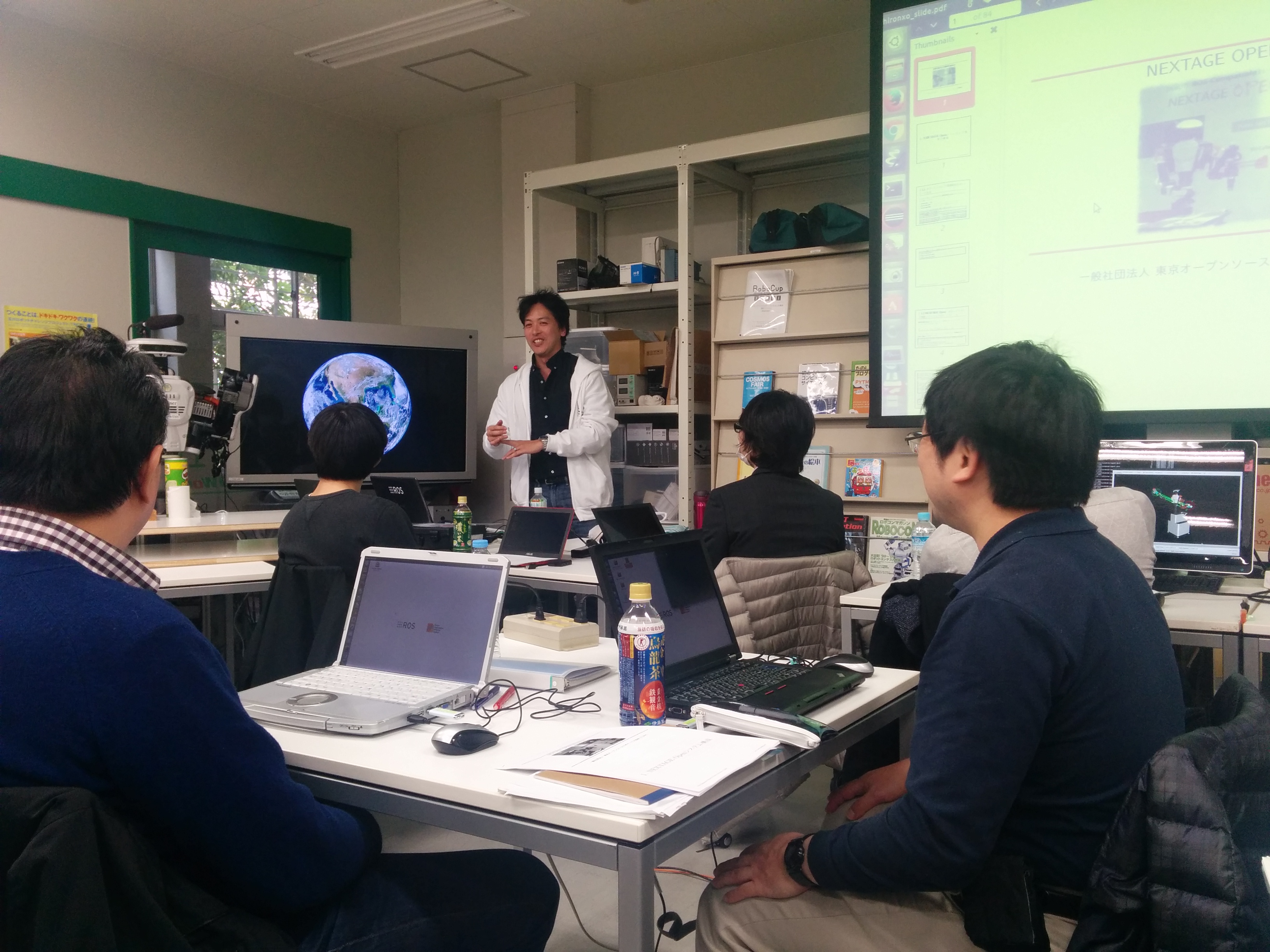
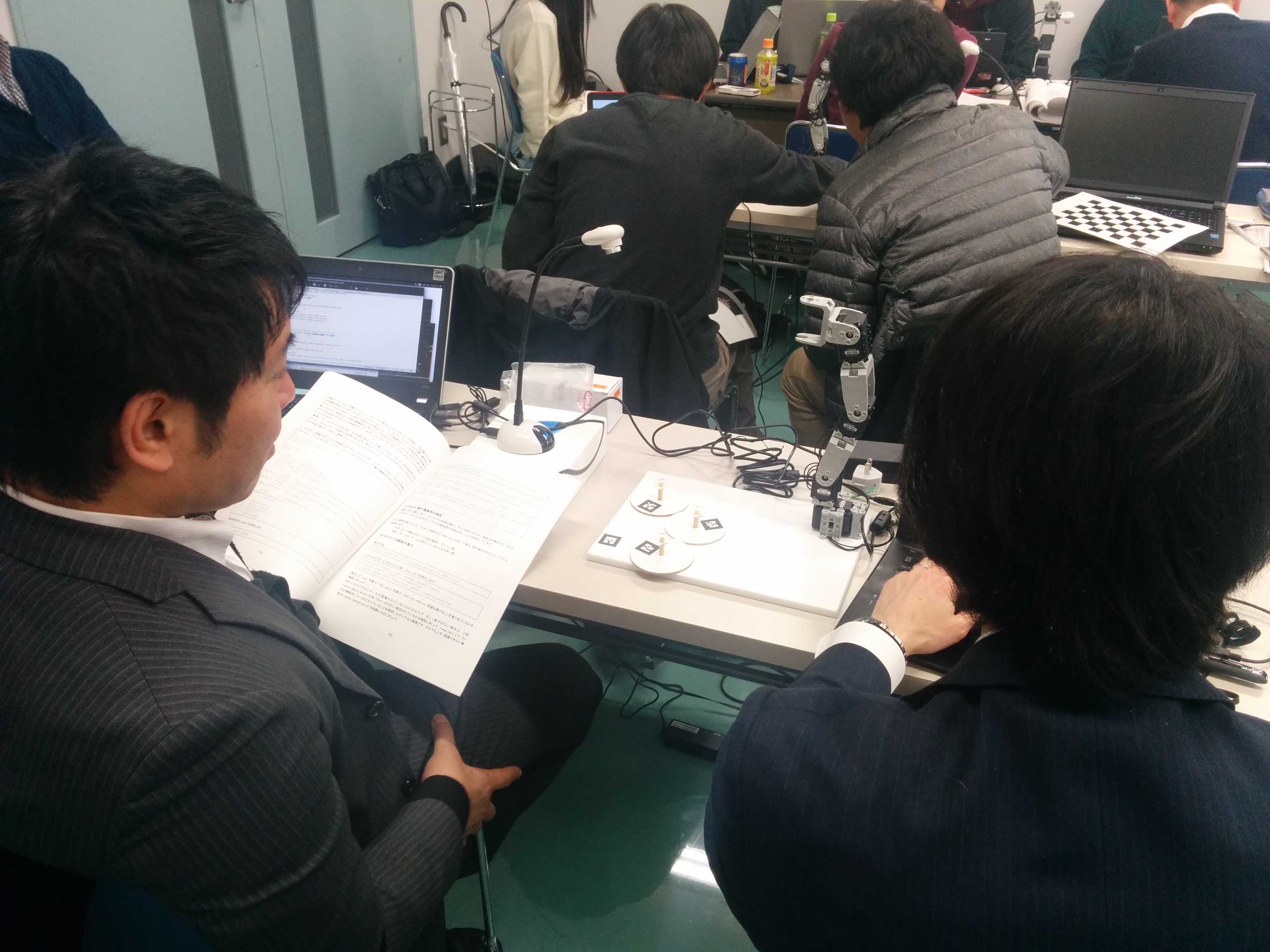
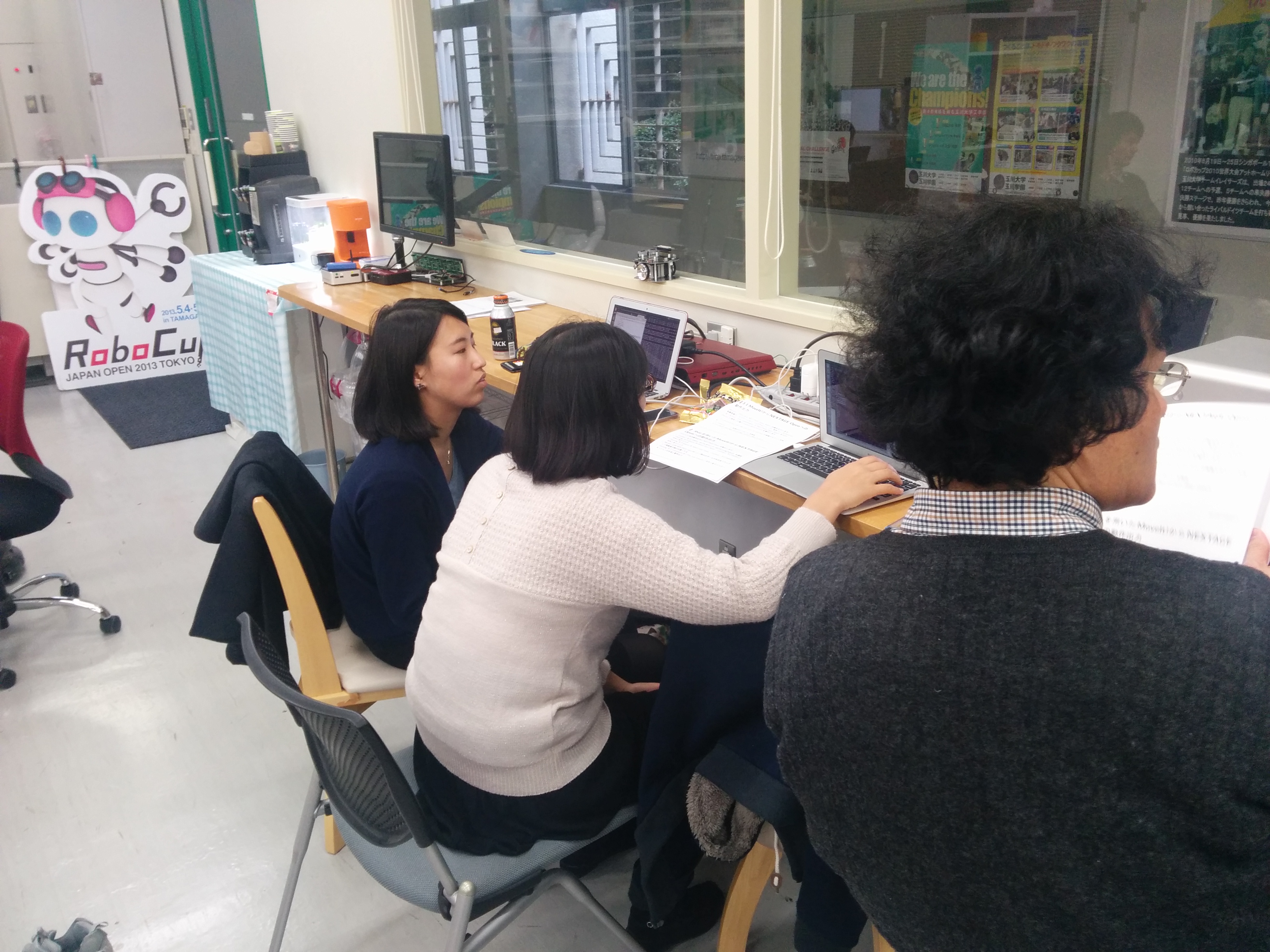
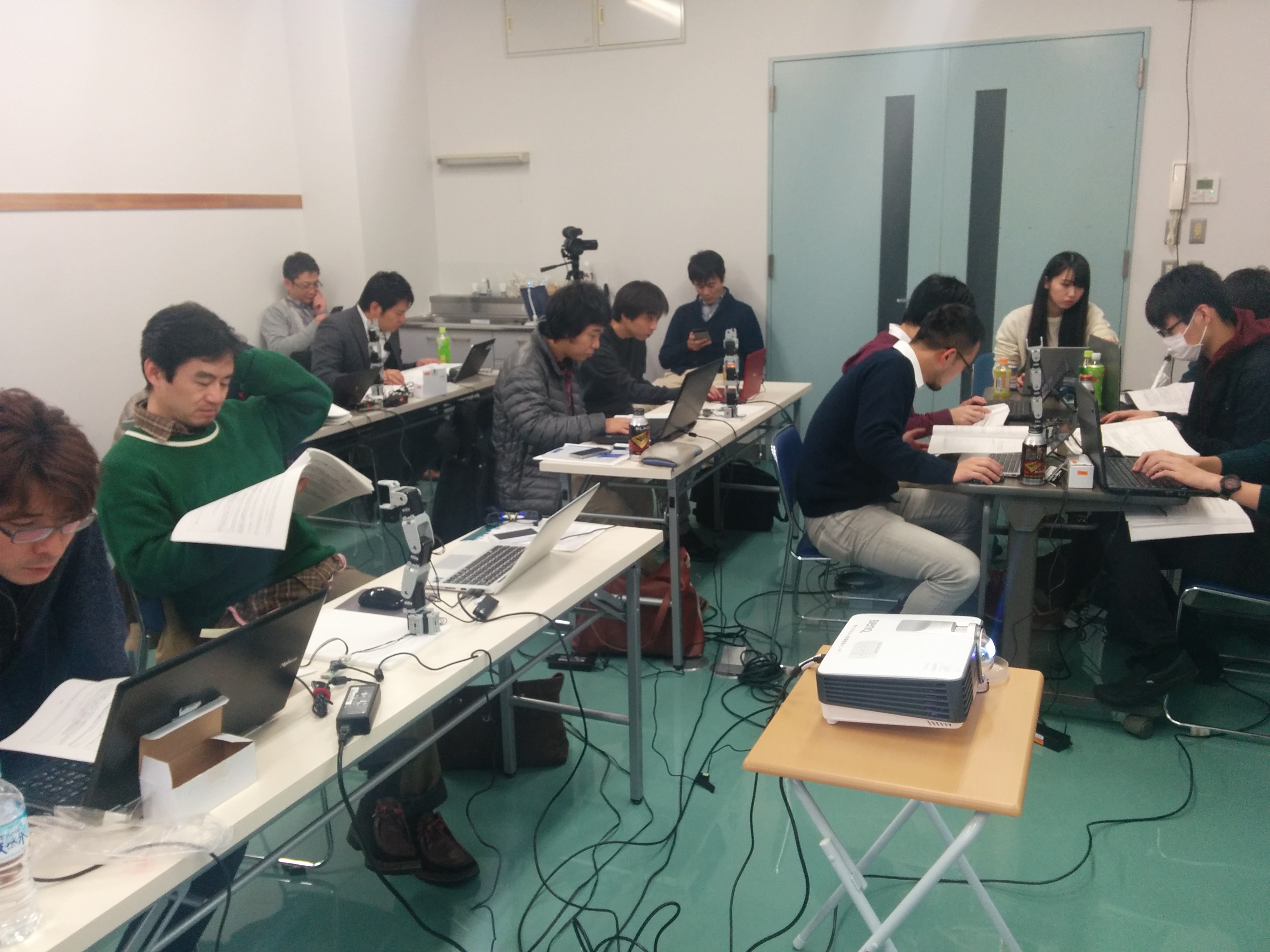
We held ROS Workshop at Sagamihara ROBOT SUPPORT CENTER (SIC) and Okada-Lab at Tamagawa University on 16th, 30th Jan, and 6th Feb.SIC is an industrial training facility in the city of Sagamihara in Kanagawa prefecture, where global and local businesses are located in electronics and heavy industry (incl. Mitsubishi Heavy Industries, Caterpillar Japan, 3M, Nissan, JAXA (Japanese Aerospace Agency)). The center aims to assist the local economy by providing training and support for the robotics technologies.
We, TORK, have been holding technical workshop for opensource robotics for several dozen times at different levels (this, this, this, and this to name a few). This time we worked with SIC to give a series of dedicated workshop for the engineers and managers from the local tech companies.
The contents consists of following three parts. We also would like to thank to students from Okada-Lab@Tamagawa University for their assistance.
- 1. ROS Workshop for beginners.
- Learning basics of ROS system through the hands-on workshop.
- ROS Setup
- Recognition human hand with vision sensor(LeapMotion)
- Recognition based motor control
- Learning basics of ROS system through the hands-on workshop.
- 2. ROS Workshop for intermediates
- Learning how to control original
robot arm. This tutorial uses original manipulator using Dynamixel servo
motors. Learn how to create URDF model and MoveIt Setup.
- Robot arm modeling and visualization
- Connecting real robot and robot on rviz
- Control simulated robot on rviz using MoveIt!
- Control real robot using MoveIt!
- Recognizing AR marker and transformations
- Wringing vision based robot motion control program
- Learning how to control original
robot arm. This tutorial uses original manipulator using Dynamixel servo
motors. Learn how to create URDF model and MoveIt Setup.
- 3. ROS + Nextage/HIRO Dual-arm robot
- Learning ROS and OpenRTM using HIRO robots, including how to plan motions using MoveIt!, using Kinect Depth sensor for realtime obstacle avoidance, grasping object using hand-eye cameras.
Saturday, October 17, 2015
Laser scan tools rejuvenated into ROS
From TORK web site:
-
We just released ROS tools for handling laser scan data “scan_tools” into ROS Indigo, Jade. laser_scan_matcher or polar_scan_matcher
packages enable 2D pose estimation solely based on the laser scan
input. It can be also used as odometry without relying on other sensor
data correction. On Ubuntu linux you can install via apt command.
- Ok, actually, we didn’t build anything. We just sorted out and
“re-published” the source code so that people can install by a single
command. Its source code was made by CCNY Robotics Lab.
- Video:
- apt package management sysytem on Ubuntu
- OSRF, management team of ROS maintains the infrastructure that builds, tests, and distributes ROS packages that the developers of each package submit. Involving volunteers, it’s eye-maintained almost 24/7
- Each package’s developers and maintainers are deligently conforming to the rule and vigorously submitting the updates
Using Ubuntu linux, you have so many ROS packages readily available just 1-command away, much like apps on your smart phones. As of today on ROS Indigo 2,034 packages are awaiting in the cloud (If you’re curious how the sea of cloud actually looks like, sneak peak from Build Status). To make this wonder happen, there are a few things:
- What makes ROS as sized is this many package maintainers; today more than 200 persons have made a release.
A dilemma of a huge project to last long, like ROS with longer than 6 years, may be that some maintainers may go away as they move on to new projects (while some remain although they are not actively using the packages they take care of!). But most of the times with a minimal care, the packages can be revitalized and made compatible with the latest ROS platform. This is what TORK did for the aforementioned scan_tools package suite and we’ll continue this kind of effort to help opensource community shine even more.
Thursday, October 15, 2015
Update on Nikkei Robotics monthly magazine on ROS
From TORK web site:
The back number of the magazines is available through Nikkei's web site.
- Ep.1 ROS: de facto standard tool for robotics software development, Beyond the research labs further on industrial
- Ep.2 Using ROS on Fetch; SLAM, IK are off the shelf
- Ep.3 ROS-I: ROS’ industrial extension. Community and application. Universal pendant to be developed
- Ep.4 ROS on ARM: Going Beyond x86 to Embedded Systems Backed Up By Qualcomm
Article titles (English translation by TORK):
Saturday, October 10, 2015
Kawada’s Hiro & NEXTAGE Open Software now available in ROS Indigo (Long-Term Support)
From web site of TORK:
-
Software of Kawada’s Hironx or NEXTAGE Open,
both of which we’re providing maintenance service for its ROS-based
opensource controller, is now available on Ubuntu 14.04 and ROS Indigo.
At the same time, support for Ubuntu 12.04 and ROS Hydro has reached the
end-of-life.
Please follow the link for the detail including upgrade instruction.
ROS Indigo is proud of approx. 2,000 packages, much added since its predecessor Hydro (with 1,700), and it’s the first LTS (Long-Term Support) in ROS and claimed to last until 2019.
We know that Indigo has been around for longer than an year already but you know, it’ll keep rocking longer than any other versions of ROS has ever done!
Tuesday, September 22, 2015
To rename ROS package systematically
Not specific to ROS, but still nice to have a memo like this for myself.
A couple of scripts can be used when you change the name of your ROS package "foo" to "bar".
Line by line:
A couple of scripts can be used when you change the name of your ROS package "foo" to "bar".
1:  cd /tmp && cp -R `rospack find foo` .
2:  (shopt -s nullglob && _() { for P in "$1"*/; do Q="${P//[Ff][Oo][Oo]/bar}"; mv -- "$P" "$Q"; _ "$Q"; done } && _ ./)
3:  find . -type f -print0 | xargs -0 sed -i 's/foo/bar/g'
Line by line:
- At first line, you copy the entire package to somewhere safe; this prevents changing CVS data (.git, .svn etc.) without knowing.
- 2nd line is influenced by this thread
- So as the 3rd line (this thread)
If you want to change the packages you've already "released", see this thread.
----
Update 2024/10/21 If the targeted files are under (a local) git repository, there's much more user-friendly command (thanks to superuser.com#1110337).
git grep -lz foo | xargs -0 sed -i '' -e 's/foo/bar/g'
Monday, August 31, 2015
Using libuvc ROS package on System76 Kudu laptop
libuvc_camera works as a universal camera ROS driver for UVC compliant cameras (webcams in particular). Using it with the integrated webcam on my laptop (Kudu Pro by System76), I added in `/etc/udev/rules.d/99-uvc.rules` this line:
SUBSYSTEMS=="usb", ENV{DEVTYPE}=="usb_device", ATTRS{idVendor}=="5986", ATTRS{idProduct}=="055c", MODE="0666"
:
Bus 001 Device 002: ID 8087:8008 Intel Corp.
Bus 001 Device 001: ID 1d6b:0002 Linux Foundation 2.0 root hub
Bus 004 Device 001: ID 1d6b:0003 Linux Foundation 3.0 root hub
Bus 003 Device 004: ID 5986:055c Acer, Inc
:
[ 2.973758] uvcvideo: Found UVC 1.00 device BisonCam, NB Pro (5986:055c)
<launch>
  <node ns="camera" pkg="libuvc_camera" type="camera_node" name="cam_kudu1">
    <param name="vendor" value="0x5986"/> <!-- check lsusb -->
    <param name="product" value="0x055c"/> <!-- check lsusb -->
    <param name="width" value="640"/>
    <param name="height" value="480"/>
    <param name="video_mode" value="yuyv"/>
    <param name="frame_rate" value="30"/>
    <param name="camera_info_url" value="file:///tmp/cam.yaml"/>
    <param name="auto_exposure" value="3"/>
  </node>
</launch>
Saturday, July 18, 2015
Playing with Fetch and Freight robots (from Fetch Robotics) on Gazebo
It's been awhile since a promising (as everyone in robotics industry hopes) startup in San Jose called Fetch Robotics has made some of their controller software public, even before they start selling their robots. Apparently there are a group of folks who took that as "use-it-test-it-giveus-feedback!" message, which I just joined lately.
So here's an incomplete report. It should be more appreciated by anyone who Google the information about particular software if the information is gathered at fewer places, so for ROS software I usually try to write any info on wiki.ros.org as much as possible (that's one excuse for why this blog has been stale; I've posted up so many docs and changes on ROS wiki). Because the Fetch Robotics is a commercial company, however, I instead write it here as my personal record. Of course if there will be something that better be shared on their official doc, I'll open a pull request on their doc repository.
----
Let's start on their tutorial "Tutorial: Gazebo Simulation" http://docs.fetchrobotics.com/gazebo.html
Do the installation. I'm on Ubuntu Trusty 64bit, i7 quad core notebook.
Run what's already prepared
--------------------------------
Since I'm interested in using the full-fledged simulation right away, let's run from "Running the Mobile Manipulation Demo":
$ roslaunch fetch_gazebo playground.launch
Then next launch file kicks off demo program.
$ roslaunch fetch_gazebo_demo demo.launch
 With a course of actions, the robot arrives at the table in one of the rooms, releases an object on top of it, and rest. Very nicely done Fetch! Also the demo is very well-made, demonstrating its many capabilities at once.
Now, let's look into a little bit of how the software is coordinated.
 With rqt_graph, you can overview the nodes running, and what topics are exchanged between nodes.
 Closer look around move_group node shows that it uses the commonly used type of ROS Actions.
Closer look at move_base node (forgot to take snapshot) doesn't show anything special to Fetch, which indicates that ROS' interface for navigation is versatile enough to be applied to various robots without customization.
 On the left is a screenshot using rqt_tf_tree, which I recommend to
existing/new ROS users in place for rosrun tf view_frames
(http://wiki.ros.org/tf#view_frames) as a quick and dynamic
introspection (view_frames still has a purpose; it enables to share the
tree view with others via email etc.)
 Looking at base, I noticed that the actuated wheels are only 2 (l, r) out of 6 wheels/casters I see in Gazebo.

You can see how the robot perceives the world, via RViz.
$ rviz -d `rospack find fetch_navigation`/config/navigation.rviz
As you've seen in the node graph above, MoveIt! processes are already running with playground.launch.

So here let's open MoveIt! plugin to operate the robot on RViz. Here you have to unclick to disable `RobotModel` plugin on RViz so that MoveIt! plugin can load the robot model.
 Also, normally I disable Query Start State in MoveIt! plugin that I barely use.
 Open pointcloud2 plugin so that we can see the table and the object on it Fetch just picked up and placed.
Now, let's pick up the object on the table. Plan a trajectory by using MoveIt! plugin, which can simply be done by just placing robot's end-effector to the pose you want. This can be done by drag-n-drop ROS' Interactive Marker by your mouse. With clicking Plan and Execute button the robot computes and plan the trajectory plan.
 It looks like MoveIt! is having a hard time to figure out the valid trajectory from the arm's current pose to the object on the table. So I rather move the hand above the table first.

Here I see on RViz a "ghost" of the hand, which I've never seen with my MoveIt! history. Also the pose of this ghost is slightly off from the Interactive Marker. Turned out it looks like the ghost is the view from the pointcloud. And I don't know why the pose was off (debugging is not the first objective on this blog, having fun instead is), but it aligned fine after re-enabled MotionPlanning plugin on RViz.
 At some point while I'm still trying to figure out the pose to pick up
the object, the hand interferes the camera view so that the object went
invisible on RViz so that it's almost impossible for me to continue
finding the goal pose.
 So I rotated the robot's base by sending
`/cmd_vel` topic (using rqt_robot_steering GUI).
 Unfortunately after an approach trajectory execution, RViz had to be restarted, and the goal I gave might have not been right so that the hand hit the object from the side.
 With RViz restarted, I now see the table as part of MoveIt! scene object (, which went away again after re-enabling MotionPlanning plugin).
Now, the hand is almost there.
 Looks pretty good huh? This time I don't move the base any more although I lost the object
again in my vision. It has already taken half an hour to reach here so
I'm getting reluctant to do my very best.
Now only thing I need to do might be close the gripper, which doesn't seem possible by Interactive Markers on RViz. I assume there's a Python I/F. But my time ran out before going to gym. I'll resume later to update this blog.
After all, I found it hard to do the pick-and-place tasks via MoveIt! I/F on RViz for many reasons; among other things, not seeing the block on RViz with the lack of the block in sight makes the teaching extremely harder. And for the purpose of extending the existing demo, it looks like far easier to utilize the demo program that's based on vision.
Here with this small change to the original fetch_gazebo package, I wrote a simple Python script mimicking the original demo.
What this script does to the robot is simply extend the torso up, look for graspable blocks (I assume a process that detects graspable objects is running internally as an ActionServer somewhere. Also the shape is pre-registered in the referenced Python module). If a graspable block is found then get the pose of it, and move the hand toward there.

 Hard to see but the arm is moving.

----
Also the sister (bro?) robot Freight seems fully ROS compatible.
terminal-1$ roslaunch fetch_gazebo playground.launch robot:=freight
terminal-2$ roslaunch fetch_gazebo_demo freight_nav.launch
terminal-3$ rviz -d `rospack find fetch_navigation`/config/navigation.rviz
Now I'm tempted to spawn 2 robots and collaborate, which I have no idea how to do so in ROS today.
----
Little post mortem; though I could use only a small part of all functionalities Fetch and Freight today, I should say I'm delighted to see this happening! Well-made as a ROS robot, easy to operate, all the features I thought of I wanted to give a try are implemented, already (even before it goes on sale). Looks like 2 parents of Turtlebot rock again. I just hope no matter how huge success they will get, its software remains opensource so that it takes the place of the modern reference model of the ROS robot that PR2 has been serving for the long time. Viva opensource robotics!
So here's an incomplete report. It should be more appreciated by anyone who Google the information about particular software if the information is gathered at fewer places, so for ROS software I usually try to write any info on wiki.ros.org as much as possible (that's one excuse for why this blog has been stale; I've posted up so many docs and changes on ROS wiki). Because the Fetch Robotics is a commercial company, however, I instead write it here as my personal record. Of course if there will be something that better be shared on their official doc, I'll open a pull request on their doc repository.
----
Let's start on their tutorial "Tutorial: Gazebo Simulation" http://docs.fetchrobotics.com/gazebo.html
Do the installation. I'm on Ubuntu Trusty 64bit, i7 quad core notebook.
Run what's already prepared
--------------------------------
Since I'm interested in using the full-fledged simulation right away, let's run from "Running the Mobile Manipulation Demo":
$ roslaunch fetch_gazebo playground.launch
 |
| This fires up Fetch in Gazebo in a nicely elaborated lab setting (with a good-ol nostalgic wallpaint...Looks like they knew that C-Turtle is my favorite ROS logo). |
Then next launch file kicks off demo program.
$ roslaunch fetch_gazebo_demo demo.launch

Now, let's look into a little bit of how the software is coordinated.


Closer look at move_base node (forgot to take snapshot) doesn't show anything special to Fetch, which indicates that ROS' interface for navigation is versatile enough to be applied to various robots without customization.

 Looking at base, I noticed that the actuated wheels are only 2 (l, r) out of 6 wheels/casters I see in Gazebo.
You can see how the robot perceives the world, via RViz.
$ rviz -d `rospack find fetch_navigation`/config/navigation.rviz
 |
| LEFT; RViz, RIGHT; Gazebo |
As you've seen in the node graph above, MoveIt! processes are already running with playground.launch.

So here let's open MoveIt! plugin to operate the robot on RViz. Here you have to unclick to disable `RobotModel` plugin on RViz so that MoveIt! plugin can load the robot model.


Now, let's pick up the object on the table. Plan a trajectory by using MoveIt! plugin, which can simply be done by just placing robot's end-effector to the pose you want. This can be done by drag-n-drop ROS' Interactive Marker by your mouse. With clicking Plan and Execute button the robot computes and plan the trajectory plan.


Here I see on RViz a "ghost" of the hand, which I've never seen with my MoveIt! history. Also the pose of this ghost is slightly off from the Interactive Marker. Turned out it looks like the ghost is the view from the pointcloud. And I don't know why the pose was off (debugging is not the first objective on this blog, having fun instead is), but it aligned fine after re-enabled MotionPlanning plugin on RViz.


Now, the hand is almost there.

Now only thing I need to do might be close the gripper, which doesn't seem possible by Interactive Markers on RViz. I assume there's a Python I/F. But my time ran out before going to gym. I'll resume later to update this blog.
After all, I found it hard to do the pick-and-place tasks via MoveIt! I/F on RViz for many reasons; among other things, not seeing the block on RViz with the lack of the block in sight makes the teaching extremely harder. And for the purpose of extending the existing demo, it looks like far easier to utilize the demo program that's based on vision.
Here with this small change to the original fetch_gazebo package, I wrote a simple Python script mimicking the original demo.
1:  #!/usr/bin/env python
2:
3:  # Modified from https://github.com/fetchrobotics/fetch_gazebo/blob/49674b6c5f6ac5d6a649a8dc6a39f86e60515057/fetch_gazebo_demo/scripts/demo.py
4:
5:  import rospy
6:
7:  from fetch_gazebo_demo.democlients import *
8:
9:  if __name__ == "__main__":
10:    # Create a node
11:    rospy.init_node("demo2")
12:
13:    # Make sure sim time is working
14:    while not rospy.Time.now():
15:      pass
16:
17:    # Setup clients
18:    move_base = MoveBaseClient()
19:    torso_action = FollowTrajectoryClient("torso_controller", ["torso_lift_joint"])
20:    head_action = PointHeadClient()
21:    grasping_client = GraspingClient()
22:
23:    # Move the base to be in front of the table
24:    # Demonstrates the use of the navigation stack
25:
26:    # Raise the torso using just a controller
27:    rospy.loginfo("Raising torso...")
28:    torso_action.move_to([0.4, ])
29:
30:    # Look below to find the block
31:    head_action.look_at(0.4, -0.2, 0.5, "base_link")
32:
33:    # Get block to pick
34:    while not rospy.is_shutdown():
35:      rospy.loginfo("Picking object...")
36:      grasping_client.updateScene()
37:      cube, grasps = grasping_client.getGraspableCube()
38:      if cube == None:
39:        rospy.logwarn("Perception failed.")
40:        continue
41:
42:      # Pick the block
43:      if grasping_client.pick(cube, grasps):
44:        break
45:      rospy.logwarn("Grasping failed.")
46:
47:    # Tuck the arm
48:    grasping_client.tuck()
What this script does to the robot is simply extend the torso up, look for graspable blocks (I assume a process that detects graspable objects is running internally as an ActionServer somewhere. Also the shape is pre-registered in the referenced Python module). If a graspable block is found then get the pose of it, and move the hand toward there.

 Hard to see but the arm is moving.

 |
| See the block is in her/his hand. |
----
Also the sister (bro?) robot Freight seems fully ROS compatible.
terminal-1$ roslaunch fetch_gazebo playground.launch robot:=freight
terminal-2$ roslaunch fetch_gazebo_demo freight_nav.launch
terminal-3$ rviz -d `rospack find fetch_navigation`/config/navigation.rviz
 |
| Freight on autonomous navigation. It moves amazingly fast and smooth on simulation (I guess its real robot does so as well, at least the command level, it should). |
Now I'm tempted to spawn 2 robots and collaborate, which I have no idea how to do so in ROS today.
----
Little post mortem; though I could use only a small part of all functionalities Fetch and Freight today, I should say I'm delighted to see this happening! Well-made as a ROS robot, easy to operate, all the features I thought of I wanted to give a try are implemented, already (even before it goes on sale). Looks like 2 parents of Turtlebot rock again. I just hope no matter how huge success they will get, its software remains opensource so that it takes the place of the modern reference model of the ROS robot that PR2 has been serving for the long time. Viva opensource robotics!
Subscribe to:
Posts (Atom)